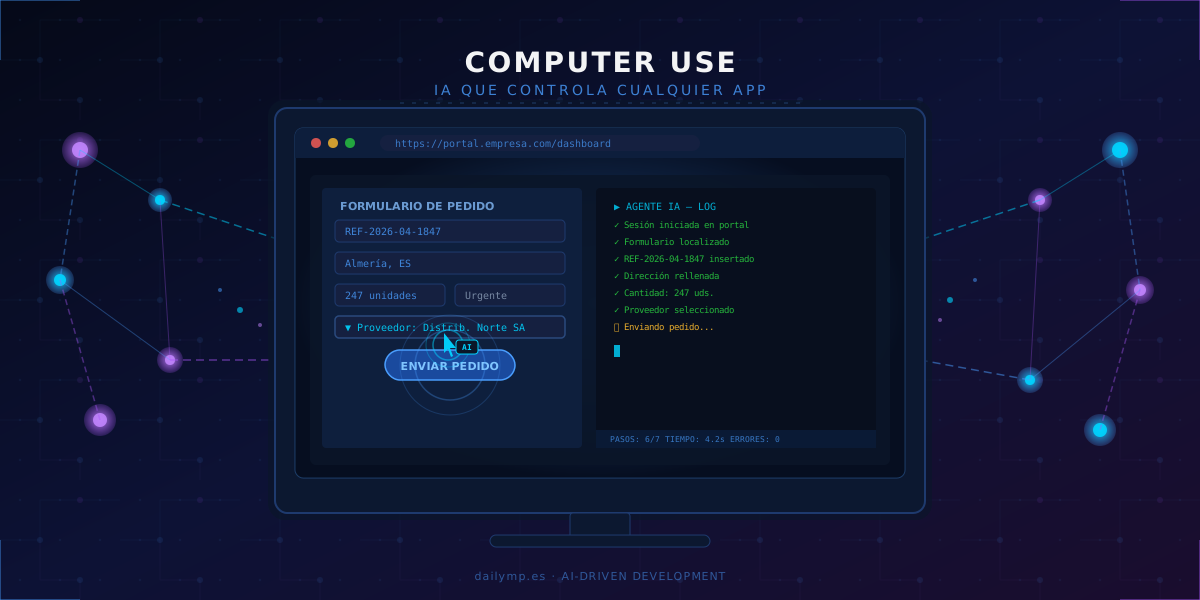
Computer Use: AI Automation Without APIs
How many manual processes still run in your company because the application "has no API"? Supplier portals, 1990s ERPs, government filing systems, internal tools that nobody ever got around to integrating. That barrier just collapsed. Computer Use allows AI to control any visual application exactly as a human employee would: moving the cursor, clicking, reading the screen and making decisions. No code. No integrations. No APIs.
The Missing Piece in Business Automation
For years, automating a process meant one thing: finding the API. If the system had one, you could connect it. If it didn't, the process stayed manual. That constraint locked an enormous part of real business operations out of automation entirely.
Traditional RPA tried to solve this. Tools like UiPath or Automation Anywhere record workflows and replay them mechanically. It works… until something on the screen changes. A button that moves, an unexpected modal, an error that interrupts the flow — and the bot fails. The result: brittle scripts that require constant maintenance and dedicated teams just to keep them alive.
Computer Use is different at the root. It doesn't follow a recorded script. It understands the goal, observes the screen, and decides in real time how to achieve it.
What Computer Use Is and How It Works
Computer Use is the ability of language models like Claude to interact with graphical interfaces: seeing the screen through screenshots, moving the mouse, typing text, scrolling, and executing actions like a human operator.
The execution loop is simple but powerful:
- The agent takes a screenshot of the current application state
- It analyzes what it sees: which fields are present, which buttons are available, what messages appear
- It decides the next action (click at coordinates, typing, menu selection)
- It executes the action and captures the new state
- It repeats until the objective is complete — or handles whatever unexpected situations arise
What makes this qualitatively different is contextual adaptability. If an error message appears, the agent reads it and decides what to do. If the page layout has changed, it reasons about the new state. If a field has special validation, it detects and satisfies it. A Selenium script would fail at the first unexpected case. A Computer Use agent won't.
Real Use Cases We're Implementing
Order Management on Portals Without APIs
One of the most common scenarios in mid-size businesses: suppliers have web portals for placing orders, but they don't offer integration with the customer's ERP. The manual process — logging into the portal, finding the product, filling in quantities, confirming the order — can consume between one and three hours daily in companies with high purchase volumes.
With Computer Use, the agent receives the order list from the internal ERP, accesses the supplier's portal, completes each order and logs the confirmation. From 3 hours daily to 4 minutes. Zero transcription errors.
Government Filings and Legacy Platforms
Periodic declarations, registrations with government bodies, data updates in 1990s systems that will never have an API. These are mandatory, repetitive and exact processes — the ideal profile for an agent.
The agent logs in, navigates the legacy interface, fills in the correct data and confirms submission. The employee receives the acknowledgment. Nobody touched a form.
Data Migration Between Incompatible Systems
When a company switches management systems but the old one doesn't export in a format the new one can import, migration ends up as a manual copy-paste operation. A Computer Use agent can open the old system, read records screen by screen, and write them into the new system field by field, at a speed no human team can match.
Computer Use vs Traditional RPA: The Critical Difference
The comparison matters for making the right decisions:
| Traditional RPA | Computer Use AI | |
|---|---|---|
| Setup time | Weeks | Days |
| Resilience to UI changes | Low (fails on UI changes) | High (reasons about new state) |
| Maintenance cost | High | Low |
| Handling unexpected events | Fails and stops | Analyzes and continues |
| Technical skill to implement | High | Medium |
The key point isn't just implementation speed. It's that maintenance costs collapse. With traditional RPA, every application update can break the bot. With Computer Use, the agent adapts because it understands context, not because it follows fixed screen coordinates.
How to Implement It Without Rebuilding Your Infrastructure
You don't need to change anything you already have. Computer Use works on existing applications. The implementation process we follow at DailyMP:
- Identify the candidate process: repetitive manual flows with defined steps running on visual interfaces
- Define the objective precisely: what the agent must achieve, what data it needs as input, and what counts as a valid result
- Set up the execution environment: a controlled sandbox with limited access to the necessary applications and no unnecessary permissions
- Validate in parallel: the agent runs the process alongside the human operator until results are equivalent over a testing period
- Deploy with monitoring: alerts for edge cases requiring human intervention and a log of every execution for auditing
This process takes us from identification to production deployment in 7–14 days for medium-complexity processes.
What Sets Apart Companies Adopting This Now
Computer Use in production isn't science fiction or a future promise. It's functional today for low-criticality, medium-complexity workflows. And its improvement curve is steep: each new model version expands capabilities, reduces errors and increases execution speed.
Companies that start integrating this technology now will have an operational efficiency advantage that competitors will take years to recover. The pattern is identical to what we saw with AI-driven frontend automation: early adopters gained irreversible productivity advantages.
What we've learned working on real implementations: the biggest savings aren't in large, visible processes — they're in the small daily ones. Those 20 minutes each employee spends filling the same form, checking the same portal, copying the same data from one system to another.
Conclusion
Computer Use is the missing piece in real business automation: the ability for AI to operate any visual application without APIs or custom integrations. It's RPA with intelligence, adaptability and dramatically lower implementation costs.
If you have manual processes running on screens that repeat every day, there's a very high probability that AI can take them over today. Not in some hypothetical future.
Want to explore which of your business processes can be automated with Computer Use? Let's talk.