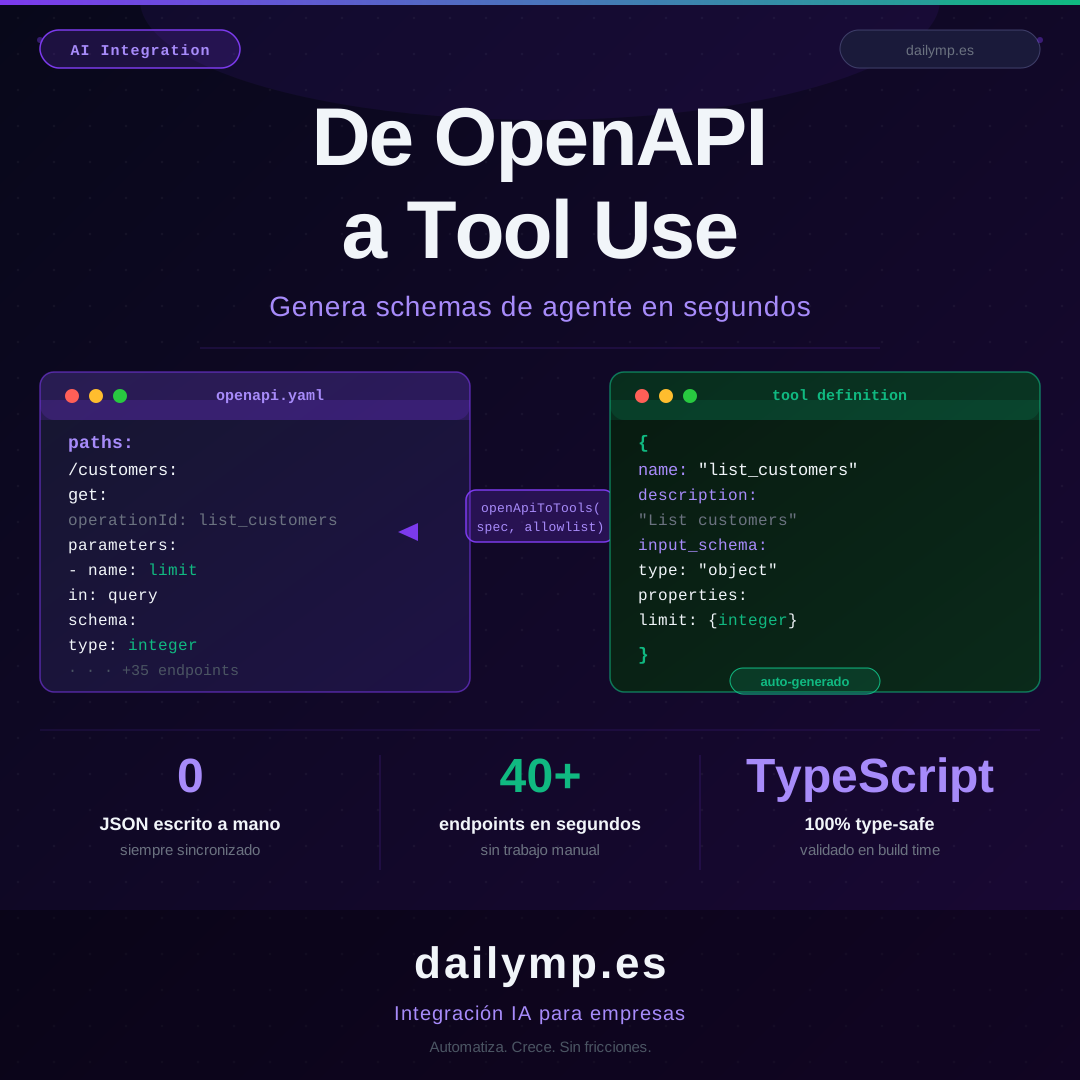
OpenAPI to Tool Use: Auto-Generate Agent Schemas
Your API is documented. Your agent doesn't know it yet.
You have a REST API that's been running for years. Complete OpenAPI documentation, 40 endpoints, defined types, response schemas. Now you want to connect it to a Claude agent.
The standard path: write tool definitions by hand, one by one, in JSON. Three endpoints, a couple hours. Forty endpoints, days. Then a backend developer updates a field in /orders, nobody remembers to update the agent's tool definition, and three weeks later the agent is sending a parameter that no longer exists. Silent failures. Production bugs disguised as "the agent is confused."
There's a better way.
Why manual tool definitions are a trap
A tool definition for Claude looks like this:
const tool: Tool = {
  name: "list_orders",
  description: "Retrieves orders for a customer",
  input_schema: {
    type: "object",
    properties: {
      customer_id: {
        type: "string",
        description: "Customer UUID"
      },
      status: {
        type: "string",
        enum: ["pending", "completed", "cancelled"]
      },
      limit: {
        type: "integer",
        minimum: 1,
        maximum: 100
      }
    },
    required: ["customer_id"]
  }
}
Manageable for one endpoint. The problem scales in two dimensions:
- Breadth: a real business API has 30, 50, 100 endpoints. Nobody writes those by hand
- Maintenance: when the API changes — and it always does — you have two sources of truth silently out of sync
Teams that build this themselves always fall into the same trap: they expose five endpoints because writing the other thirty-five is "for later." Later never comes, and the agent does 15% of what it could.
Auto-generating tool definitions from your OpenAPI spec
Your OpenAPI spec already contains everything Claude needs: operation names, parameters, types, descriptions, enums, required fields. You just need to parse it.
import type { OpenAPIV3 } from 'openapi-types'
import type { Tool } from '@anthropic-ai/sdk'

export function openApiToTools(
  spec: OpenAPIV3.Document,
  allowlist?: string[]
): Tool[] {
  const tools: Tool[] = []

  for (const [path, pathItem] of Object.entries(spec.paths ?? {})) {
    const methods = ['get', 'post', 'put', 'delete', 'patch'] as const

    for (const method of methods) {
      const op = (pathItem as OpenAPIV3.PathItemObject)[method] as OpenAPIV3.OperationObject | undefined
      if (!op?.operationId) continue
      if (allowlist && !allowlist.includes(op.operationId)) continue

      const properties: Record<string, object> = {}
      const required: string[] = []

      for (const param of (op.parameters ?? []) as OpenAPIV3.ParameterObject[]) {
        if (!param.name) continue
        if (param.in === 'query' || param.in === 'path') {
          properties[param.name] = param.schema ?? { type: 'string' }
          if (param.required) required.push(param.name)
        }
      }

      const body = op.requestBody as OpenAPIV3.RequestBodyObject | undefined
      const bodySchema = body?.content?.['application/json']?.schema as OpenAPIV3.SchemaObject | undefined
      if (bodySchema?.properties) {
        Object.assign(properties, bodySchema.properties)
        if (bodySchema.required) required.push(...bodySchema.required)
      }

      tools.push({
        name: op.operationId,
        description: op.summary ?? op.description ?? `${method.toUpperCase()} ${path}`,
        input_schema: {
          type: 'object' as const,
          properties,
          ...(required.length > 0 ? { required } : {}),
        },
      })
    }
  }

  return tools
}
Connecting your API to an agent is now a matter of seconds:
import spec from './openapi.json'

const agentTools = openApiToTools(spec, [
  'list_customers',
  'get_order',
  'update_order_status',
])

const response = await anthropic.messages.create({
  model: 'claude-opus-4-5',
  tools: agentTools,
  messages: [{ role: 'user', content: 'Show me pending orders for customer UUID-123' }]
})
Control what the agent can do
An agent with full API access can execute DELETE /customers/all. The allowlist parameter is the first filter, but in production you also need validation in the tool executor:
const READ_OPS = new Set(['list_customers', 'get_order', 'get_product_catalog'])

async function executeAgentTool(
  toolName: string,
  toolInput: Record<string, unknown>
): Promise<unknown> {
  if (!READ_OPS.has(toolName)) {
    throw new Error(`Operation not authorized for this agent: ${toolName}`)
  }
  return callApi(toolName, toolInput)
}
Add Zod validation over API responses to catch schema drift at runtime:
import { z } from 'zod'

const OrderSchema = z.object({
  id: z.string().uuid(),
  status: z.enum(['pending', 'completed', 'cancelled']),
  amount: z.number().positive(),
  customer_id: z.string().uuid(),
})

// If the API changes and the schema doesn't match, Zod throws before the agent processes bad data
const order = OrderSchema.parse(apiResponse)
How to structure this in production
The key is making the OpenAPI spec the single source of truth, shared between the backend and the agent:
packages/
  api-spec/
    openapi.json          ← shared source of truth
    generate-tools.ts     ← generation script
  agent/
    src/
      tools/
        generated.ts      ← script output (never edit by hand)
        executor.ts       ← Zod validation + HTTP calls
The generate-tools.ts script runs in CI before the build. When the backend updates openapi.json, tools regenerate automatically. If there's a mismatch between the generated spec and the executor's types, TypeScript catches it before deploy.
This is exactly what we do in our AI integration projects: treat the client's API as the source of truth and auto-generate the tools layer instead of maintaining it manually.
What breaks when you build this alone
Teams that reach our AI agents and automation service after trying to build it themselves have the same failure pattern:
- Stale tools: the API changed, the tools didn't, the agent fails 20% of the time and nobody knows why
- Incomplete subset: only the most obvious endpoints are exposed, the agent can't execute complex workflows that require orchestrating multiple endpoints
- No output validation: the agent processes API responses that changed format, generates incorrect outputs, the bug reaches end users
The fourth failure is the most expensive: not updating tools in CI. The backend regenerates the spec and the agent repo is still on the three-month-old version. With the shared package pattern, that drift is impossible.
If you already have the API, you already have 80% of the agent
You don't need to start from scratch. If your company has a REST API documented with OpenAPI, the tools layer is one script away. What remains — the executor with validation, security filters, the orchestrator agent — is the 20% where experience makes the difference.
Do you have a REST API and want to connect it to a Claude agent? Tell me the context and in 30 minutes I'll tell you whether it's feasible and how long it would take: