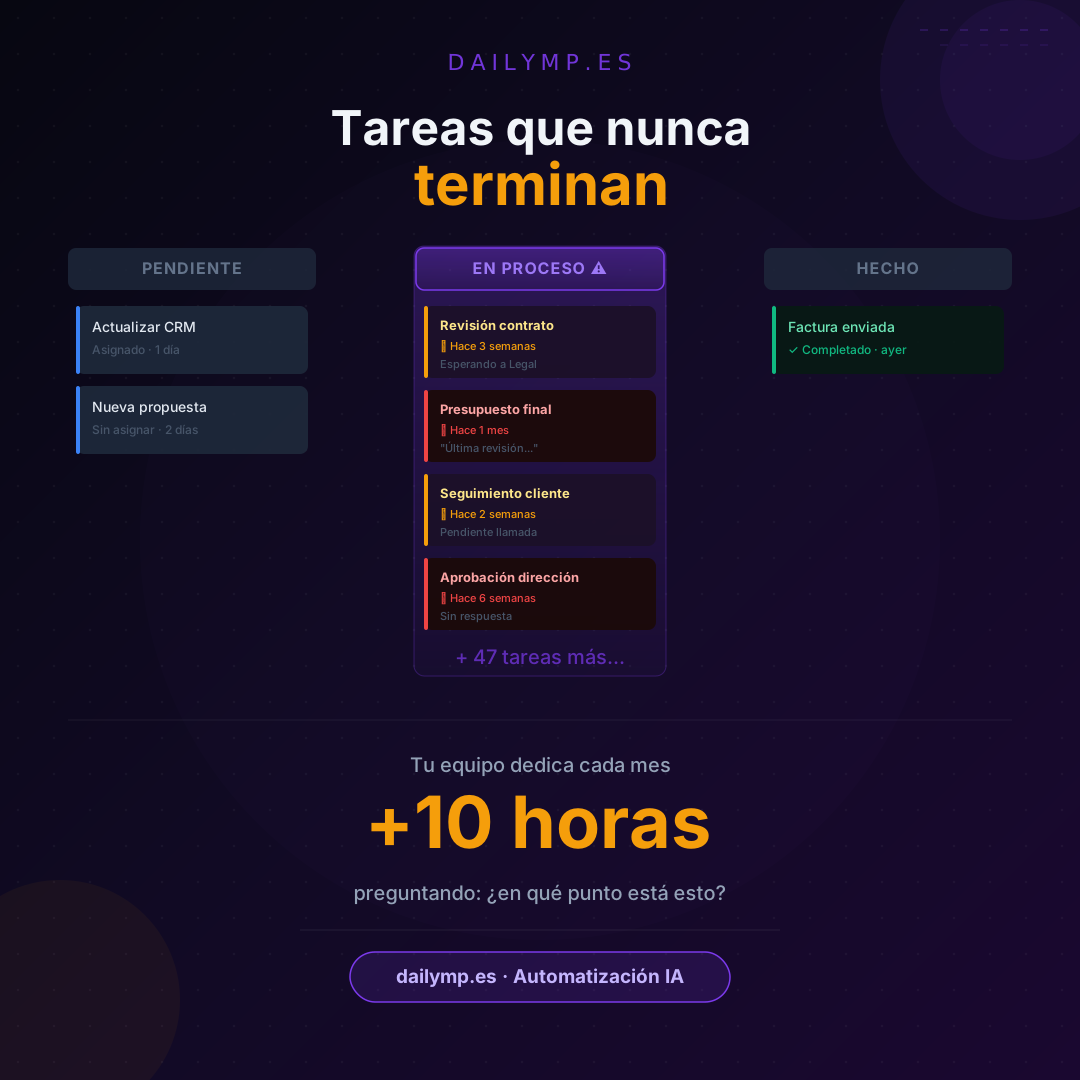
Your Business Has Tasks That Never End
How many tasks in your business are currently marked "in progress"?
Not the urgent ones this week. The others. The ones that have been sitting in that limbo for weeks — technically assigned to someone, technically moving — but if anyone asked about their status tomorrow, it would take a small investigation to find out exactly where they stand.
In most businesses between 10 and 50 people, that number easily exceeds a hundred open tasks at any given moment. And the problem isn't the volume. It's that nobody knows which ones are actually moving and which ones have been stalled for weeks.
The Graveyard of "In Progress" Tasks
There's a type of task that lives in every business and nobody calls by name: the task that started but never properly ended.
The quote that needs "one final review" — three weeks ago. The contract that's "with legal" — for the past month. The proposal someone was going to finish "next week" — six weeks ago. The follow-up call that was "happening soon" — it never did.
These tasks exist. They're somewhere in the system — or in email, or in a team chat, or in someone's head. But they don't move. And worse: nobody knows they're not moving until someone asks.
That moment — when someone asks and the task has been stuck for weeks — has a name: it's a preventable crisis that already happened.
What Every Unclosed Task Actually Costs You
The most obvious cost is follow-up time. Someone has to remember to ask. Someone has to respond. Someone has to follow up again the next day if there was no answer.
Count how many tasks like this your business generates per month. Twenty is a conservative estimate. If each generates three ten-minute check-ins, that's ten hours per month dedicated solely to asking "where does this stand?"
But the real cost is higher, because those tasks aren't independent. There's work that depends on them closing. There are decisions on hold because a process hasn't finished. There are clients waiting for an answer that nobody knows when is coming, because the person who needs to give it doesn't know it's urgent.
Work paralyzed by an unclosed task has a domino effect that almost nobody calculates, and that rarely shows up in any productivity report.
Three Types of Tasks That Always Get Stuck
Not all unfinished tasks are the same. The most common patterns:
Approval tasks. They need a decision, but the decision-maker has a hundred other things. It's not urgent to them, even though it blocks everything for the person waiting. Without a deadline or automatic reminder, it stays in limbo indefinitely.
Coordination tasks. They depend on someone else doing something first. When that person doesn't — because they're busy, because there's no notification, because they don't know someone is waiting — the chain breaks silently.
Review tasks. "It just needs someone to check it." That final review can take weeks if there's no flow that assigns it concretely, with a deadline, to a specific person. "When I get a chance" is not a deadline.
What Changes When Every Task Has a Real Status
The problem isn't that your team is disorganized. It's that the tools they use aren't designed to manage the full lifecycle of a task: start, progress, blockage, escalation, closure.
An email doesn't know it's been unanswered for three days and can't alert anyone. A team chat doesn't know a task has been in the same state for two weeks. A spreadsheet can't automatically escalate to the responsible person when something stalls.
What an automation agent can do is exactly that: monitor the state of each task, detect when it has spent more time than defined in a phase, and act accordingly — sending a notification, changing the assignment, or escalating to whoever needs to know.
Without anyone having to remember to check. Without anyone having to ask. Without a client waiting longer than necessary because nobody noticed the task was stuck.
How It Works in Practice
No new system required. What we do at DAILYMP is build the automation layer on top of the tools you already have:
- If you use Notion, Trello, Monday, or any task manager: the agent monitors states and acts when something stalls.
- If work lives in emails and chats: the agent detects unanswered threads and creates automatic follow-up tasks.
- If you have a CRM: the agent connects the state of each opportunity with its associated tasks and escalates when the cycle runs longer than normal.
The goal is always the same: no task stays in limbo without someone knowing and without something happening about it.
See how we implement this in our AI integration with your existing tools page.
Results
Businesses that implement automated task state management recover between 8 and 15 hours per month of follow-up time. The side effect — which nobody anticipates until they experience it — is that meetings change: instead of half the time spent on "where does this stand?", that time is freed up for actual decisions.
And there's a third result: clients notice the difference. Not through an announcement or a visible change. They notice it because things happen when they should, without having to ask twice.
One Question for This Week
What's the oldest task currently "in progress" in your business?
Not in your urgent inbox. In that other place where things live when they're "almost ready" or "waiting for a response" or "pending final review."
If it takes you more than thirty seconds to find it, or if you can't say exactly what state it's in, you have the problem described here. And it's solvable.