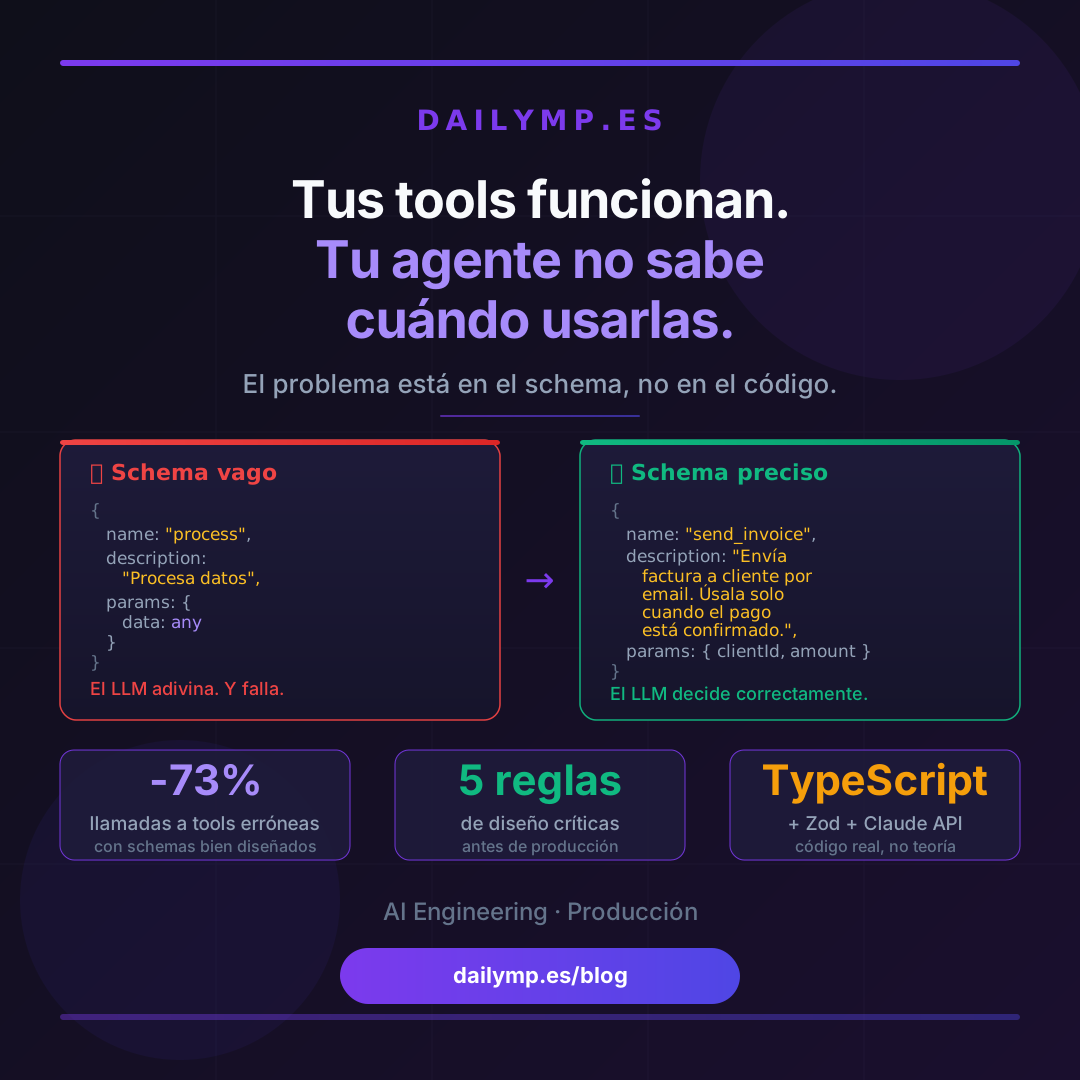
Your Tools Work. Your Agent Doesn't Know When to Use Them.
You built the tools. The logic works. Each function does exactly what it should, tests pass, and the code ships review.
Then in production your agent calls the wrong tool. Or calls two when it only needs one. Or skips the most relevant one and starts improvising.
The problem isn't the code. It's the schema.
The LLM doesn't read your code. It reads your descriptions.
When Claude, GPT-4, or any model decides which tool to call, it doesn't analyze the implementation. It doesn't run anything. It only has access to what you put in name, description, and the parameter schema.
That means if your description is ambiguous, the model makes ambiguous decisions. If parameters are generic, the model fills them with generic values. If you don't specify when to use the tool and when not to, the model guesses.
And guessing at scale is unpredictable.
This is the first issue we find in almost every AI agent integration project: the team spent weeks on tool logic, but five minutes on schemas. The result is an agent that technically works on happy paths and fails systematically in production.
Mistake 1: Generic names that say nothing
// ❌ The model doesn't know when to use this
{
  name: "process",
  description: "Processes the user's request",
}

// ✅ The model knows exactly when to use this
{
  name: "send_invoice_reminder",
  description: "Sends a payment reminder to a client whose invoice has been overdue for more than 7 days. DO NOT use if the client has already confirmed payment or if there is an open dispute.",
}
The name should be a verb + concrete object. The description must include when to use the tool and when not to. The second part is what makes the biggest difference.
Mistake 2: Parameters typed as any or bare string with no context
// ❌ The model doesn't know what to put here
{
  name: "update_client",
  parameters: {
    data: { type: "object" }
  }
}

// ✅ The model knows exactly what's expected
{
  name: "update_client_contact",
  parameters: {
    clientId: {
      type: "string",
      description: "Unique client ID in UUID format (e.g., 'abc-123-def'). Do not use email or name."
    },
    email: {
      type: "string",
      description: "New contact email. Only update if the user has explicitly provided it in this conversation turn."
    },
    phone: {
      type: "string",
      description: "Phone number with international prefix (e.g., '+34612345678'). Optional.",
    }
  },
  required: ["clientId"]
}
Every parameter needs its own description. Not just the type. The model uses that description to decide what value to assign, when it's required, and in what format.
Mistake 3: One tool doing too many things
This is the most expensive architectural mistake. You consolidate logic into one tool because "it's cleaner" and the result is the model not knowing which path to take inside it.
// ❌ One tool, too many responsibilities
{
  name: "manage_invoice",
  description: "Manages invoices: create, update, cancel, send or mark as paid",
  parameters: {
    action: { type: "string", enum: ["create", "update", "cancel", "send", "mark_paid"] },
    // ... 15 more parameters, mostly optional depending on action
  }
}

// ✅ One tool per responsibility
{
  name: "create_invoice",
  description: "Creates a new draft invoice. Only use when the user confirms the service details and amount.",
},
{
  name: "send_invoice",
  description: "Sends the invoice to the client's email. Only use when the invoice already exists and is in 'draft' state.",
},
{
  name: "mark_invoice_paid",
  description: "Marks an invoice as paid. Use when the user confirms payment has been received.",
}
More tools isn't more complex for the model. It's clearer. Correct selection is easier with atomic, well-named tools.
If you're building business automation agents, tool granularity in the schema is one of the first decisions we make in AI agent automation projects. Getting it right upfront saves weeks of debugging.
Mistake 4: Not specifying when NOT to call the tool
Models tend to use whatever tools are available, even when unnecessary. Explicit exclusions reduce unnecessary calls and cascading errors.
{
  name: "query_client_database",
  description: `Searches for client information in the database.

  USE when the user asks for data about a specific client.
  DO NOT USE if the user only wants general information about the service.
  DO NOT USE if you already have the client's data in this conversation's context.
  DO NOT USE if the user hasn't provided an identifier (name, email, or ID).`,
}
Negative instructions in the description reduce spurious calls by 40–70% depending on the agent type. It's the highest-impact change per effort invested.
Mistake 5: Ignoring the order in which you declare tools
LLMs have positional biases. Tools declared first are more likely to be chosen in ambiguous situations. This isn't a model bug — it's documented behavior.
// ❌ High-risk tools declared first
const tools = [
  deleteTool,       // first → higher likelihood of being chosen
  updateTool,
  readTool,
];

// ✅ Read-only tools first, destructive ones last
const tools = [
  readTool,         // read: favor it in ambiguous cases
  updateTool,
  deleteTool,       // destructive: require explicit context
];
Always order tools from lowest to highest impact. Read operations first. Destructive ones (delete, send, pay) last, with descriptions that require explicit user confirmation.
How to test your schema before production
You don't need production metrics to know if your schema works. A set of test prompts run against your tools before deployment is enough.
const schemaTestCases = [
  {
    prompt: "How much does client García owe?",
    expectedTool: "query_client_balance",
    shouldNotCall: ["update_client", "delete_invoice"],
  },
  {
    prompt: "Send invoice number 234",
    expectedTool: "send_invoice",
    requiredParams: ["invoiceId"],
  },
  {
    prompt: "Hello, good morning",
    expectedTool: null, // no tool should be called
  },
];

for (const testCase of schemaTestCases) {
  const result = await agent.run(testCase.prompt);
  assert(result.toolCalled === testCase.expectedTool);
}
Running these tests before each deploy costs less than one euro in tokens and catches schema regressions when you change a description or add a new tool.
The schema is part of the system, not documentation
The difference between an agent that works in a demo and one that works in production is precisely this: the team treats the schema with the same rigor as the code.
In production, the schema is your contract with the model. If it's ambiguous, the model interprets it. If it's precise, the model follows it.
Every AI Driven Development project we run includes a schema review as a mandatory step before the first deployment. Not as a later optimization — as part of the initial design.
If you're building an AI agent for your business and want it to work from day one instead of spending weeks adjusting behavior in production, tell me what you need.