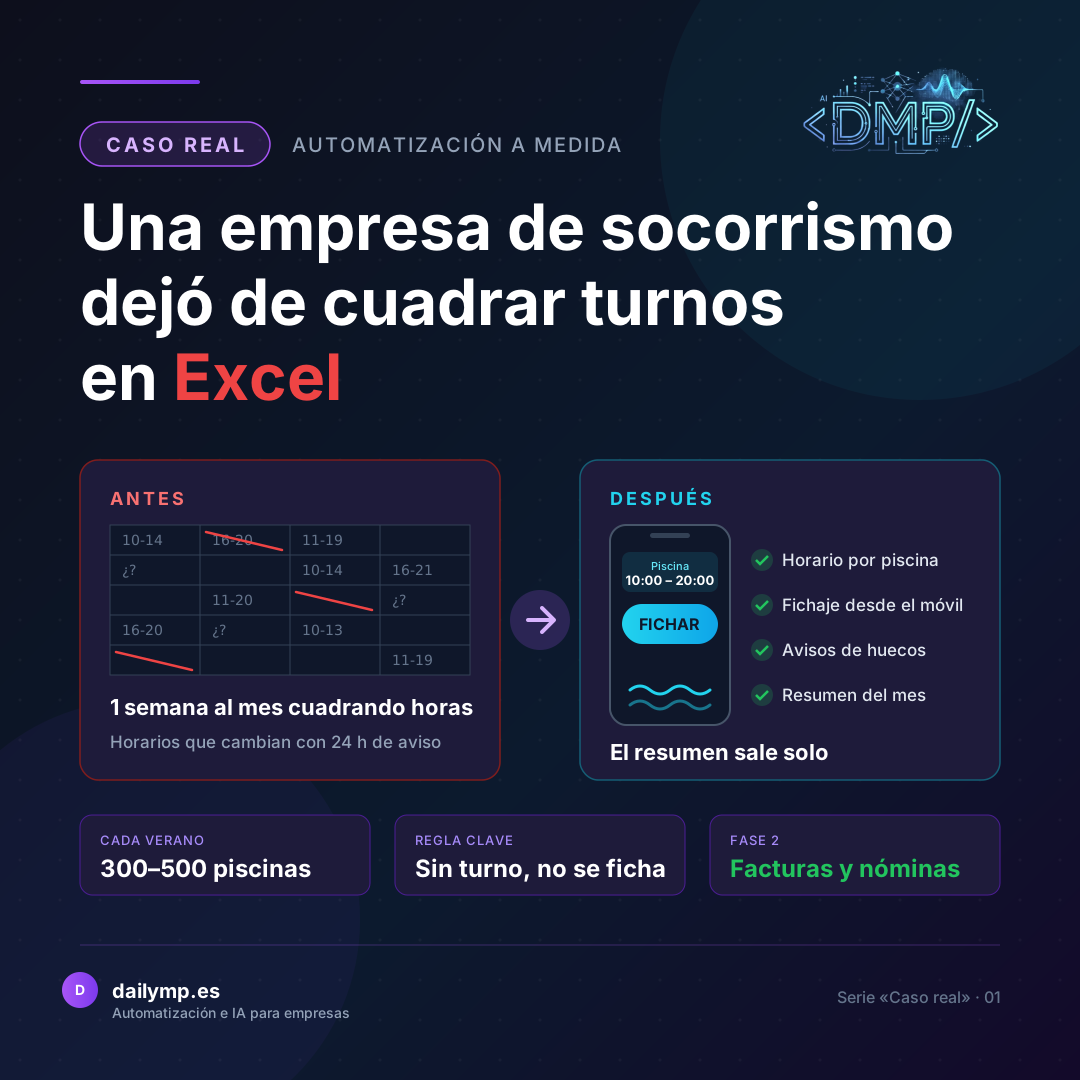
How a Lifeguard Company Stopped Juggling Shifts in Excel (and What Comes Next)
Every summer, a lifeguard company in Málaga covers between 300 and 500 residential community pools. Opening hours change with 24 hours' notice, lifeguards rotate from one pool to another and, at the end of every month, someone in the office had to reconcile by hand the hours of every pool and every person in order to invoice and pay. This is the story of how they stopped doing that, and of what comes next.
The problem
At a community pool there is no such thing as "the summer schedule". Each community sets its own: one opens only at weekends, another closes earlier in September, another doesn't open if it rains, another has split hours because nobody swims at midday. And those changes often arrive with a single day's notice.
Clocking in and shift planning ran on separate tracks. What was planned in one place didn't match what was actually worked in another. And since the company invoices each community for the hours the pool was really open, not the hours that were planned, the whole month had to be rebuilt by cross-checking data by hand.
The result: a full week of work every month just to reconcile hours. With hundreds of pools, any mistake turned into a wrong invoice or a payslip that had to be corrected. And everything depended on the person doing it never getting a single day wrong.
What I built
The first thing I understood, listening to the office, was that assigning fixed lifeguards to each pool made no sense. With so many pools and so many changes, that would just be another impossible spreadsheet. So I turned the approach around: what drives everything is each pool's opening hours.
This is what I built:
- Opening hours per day and per pool. The office creates and changes them in one tap, any day, with continuous or split hours. If a community says it will close earlier tomorrow, it's changed and done.
- Clock-in from the phone. The lifeguard picks the pool they're at and clocks in. The app trims their hours to that pool's real opening hours: arriving early or staying late doesn't add hours. Being up to ten minutes late still counts, but it's flagged in red so the office can see it.
- No assigned shift, no clock-in. This was agreed in an October meeting with the company. If a lifeguard turns up at a pool where they have no shift that day, they tap "request shift" and the office assigns it on the spot. That way there are no loose clock-ins nobody can match to anything later.
- Alerts for uncovered shifts and for overlaps between pools, so the office finds out before there's a problem, not after.
- A monthly summary of hours per pool and per person, ready to invoice each community and to prepare payroll.
- The business's own rules. For example, salaried office staff can clock in to keep a record, but their hours don't count towards the total.
- Daily, verified backups. This is payroll data: it cannot be lost.
Phase 2: what comes next
With real hours now recorded, the next step is to put them to work. I'm already discussing it with the company: invoicing each community automatically from those hours, exporting them straight to payroll, hiring lifeguards from the app itself, handling event pools and adding location-based clock-in.
Real results
The app is live, and the office already changes opening hours and pulls the monthly summary from it, instead of rebuilding it by hand at the end of the month.
I'd rather not publish figures until I've measured them with the company. What I can say is that reconciling hours no longer depends on one person's memory, but on a single record everyone can see.
What you can apply in your business
- Decide what drives your planning. Here it wasn't the people, it was each pool's opening hours. Spreadsheets often become impossible because they're organised around the wrong thing.
- Keep the plan and reality in the same place. If shifts live in one place and clock-ins in another, you'll always have to reconcile them by hand. When they're together, the summary builds itself.
- Write down your rules before automating. Does arriving early count? How much lateness is tolerated? Who doesn't count hours? Those decisions are the heart of the system, not a technical detail.
- Start with what hurts most and leave the rest for phase 2. Here, the first step was getting real hours recorded properly. Invoicing and payroll come later, once the foundation is reliable.
Let's talk for 30 minutes
Does your team reconcile shifts or hours by hand every month? In 30 minutes I'll tell you what can be automated in your case and where I'd start.