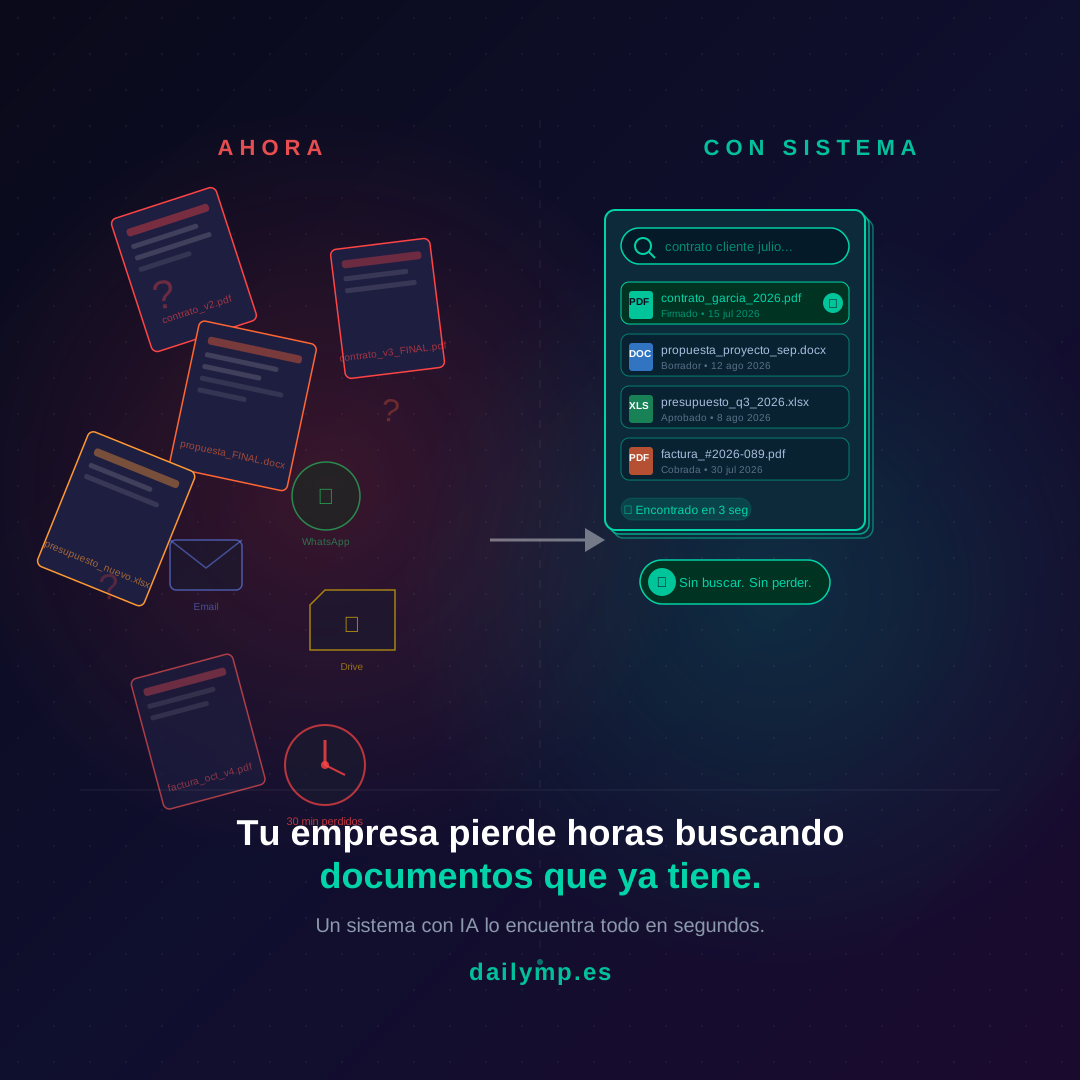
A Client Asks for a Document. Nobody Knows Where It Is.
It's Monday morning. An important client calls. They need the contract signed eight months ago — urgent, for their legal department.
You say "one moment, I'll send it right now."
You search your email. You find four threads with that client, none of them have the attachment. You ask the person who managed the project. They're in a meeting. While you wait, the client calls again. Eventually a PDF turns up in a Google Drive folder nobody remembers creating — but you're not sure if it's the final version or a draft. You send it and hope for the best.
Twenty-five minutes to find a document you already had.
If this sounds familiar, it's not an organization problem. It's a systems problem. And it has a real cost that almost nobody has calculated.
Where Your Business Documents Live (Everywhere and Nowhere)
Ask anyone on your team where the contract is for the client who started in March. The usual answer: "I think it's in the Drive… or maybe it was sent by email… hang on, let me check WhatsApp."
In most businesses with ten to fifty people, critical business documents — signed contracts, approved proposals, invoices, project reports, emails containing important commitments — live scattered across five or six different places:
- Email inboxes of three different people, in threads with vague subject lines
- One or several Google Drive or Dropbox folders nobody organized coherently
- The WhatsApp history of company chats and client groups
- Local folders on the computer of whoever closed the deal
- A management tool or CRM, where some people save things and others don't
None of these is the "official location." They're simply where someone put it at the time, with whatever name seemed reasonable that day.
The result: finding anything requires knowing who saved it, where they saved it, and what they called it. Three variables that change depending on the person and the day.
What That Costs Your Business Every Week
Nobody runs this calculation because each individual search feels small. A minute here, maybe two. But if you track it for a week, the number is very different.
Imagine five people work in your business. Each spends an average of forty minutes per day searching for documents — a contract someone needs to review, the correct version of a proposal, a supplier invoice for accounting, the email where something was agreed with a client.
That's three hours and twenty minutes daily. Over sixteen hours per week. Around 800 hours per year that your team spends searching, not working.
At an average labour cost of €22 per hour, that's over €17,000 per year in time that generates absolutely nothing new for your business.
But money isn't the only cost.
The Impression You Make When You Can't Find Things
Every time you take a while to locate a document the client already sent you, or that you already sent them, there's an unspoken reading happening on their side:
"This company doesn't have its act together."
They won't say it. They probably won't even think it consciously. But it sits there, like a small crack in their perception of you. And it adds to the last time it happened. And the time before that.
There's also a more concrete risk: sending the wrong version of a document. An outdated proposal with prices that are no longer valid. A contract with a clause that was later revised. An invoice with data from the previous client that nobody deleted. These mistakes happen because when you search in a hurry, you don't always verify that what you found is the latest version.
In professional services, one error like that can cost far more than the €17,000 figure above.
What Changes When There's a System
We're not talking about manually reorganizing every document from the past ten years. That's not going to happen, and you don't need to start there anyway.
What makes the difference is having a single point of access for the documents that get searched for most: active contracts, proposals in progress, quarterly invoices. A system where anyone on the team can search by client, date, or document type and find the right thing in seconds.
An AI agent connected to your existing tools can do exactly that: index documents wherever they already are — Drive, email, your CRM — and answer questions like "what's the signed contract with García from last year?" without anyone having to open five folders.
This isn't science fiction. It's the same technology that lets Google find what you're looking for in milliseconds, applied to your internal business documents.
Where to Start Without Losing Your Mind
The most common mistake when someone decides to fix document chaos is trying to solve everything at once. Build the perfect folder structure. Rename all the historical files. Migrate everything to a new system. And two weeks in, abandon it because it's too much work while the business keeps running.
The approach that actually works is the opposite: start with the documents causing the most friction right now.
What does your team search for most? Client contracts? Approved proposals? Quarterly invoices? Start with just that document type. Create one clear location, one simple naming rule, and one way for anyone on the team to find it without asking.
Once that works, you expand it. Not the other way around.
If you'd rather have someone set it up for you — without having to design the architecture or reorganize folders by hand — that's exactly what we do at DAILYMP: connect your existing tools with a system that does the finding and organizing for you.
When It Stops Being a Problem
When the system works, something interesting happens: you stop thinking about documents. Not because they stop existing, but because finding them no longer takes any effort.
The client calls asking for the contract. Someone types the client name into the search. Three seconds. Document found. Correct version. Sent.
That's what should have happened on Monday morning.
How much time does your team lose every week searching for what you already have? If the answer makes you uncomfortable, we can do the calculation together and figure out what makes sense to automate first.
Message me on WhatsApp and I'll show you how we've solved this for businesses like yours.