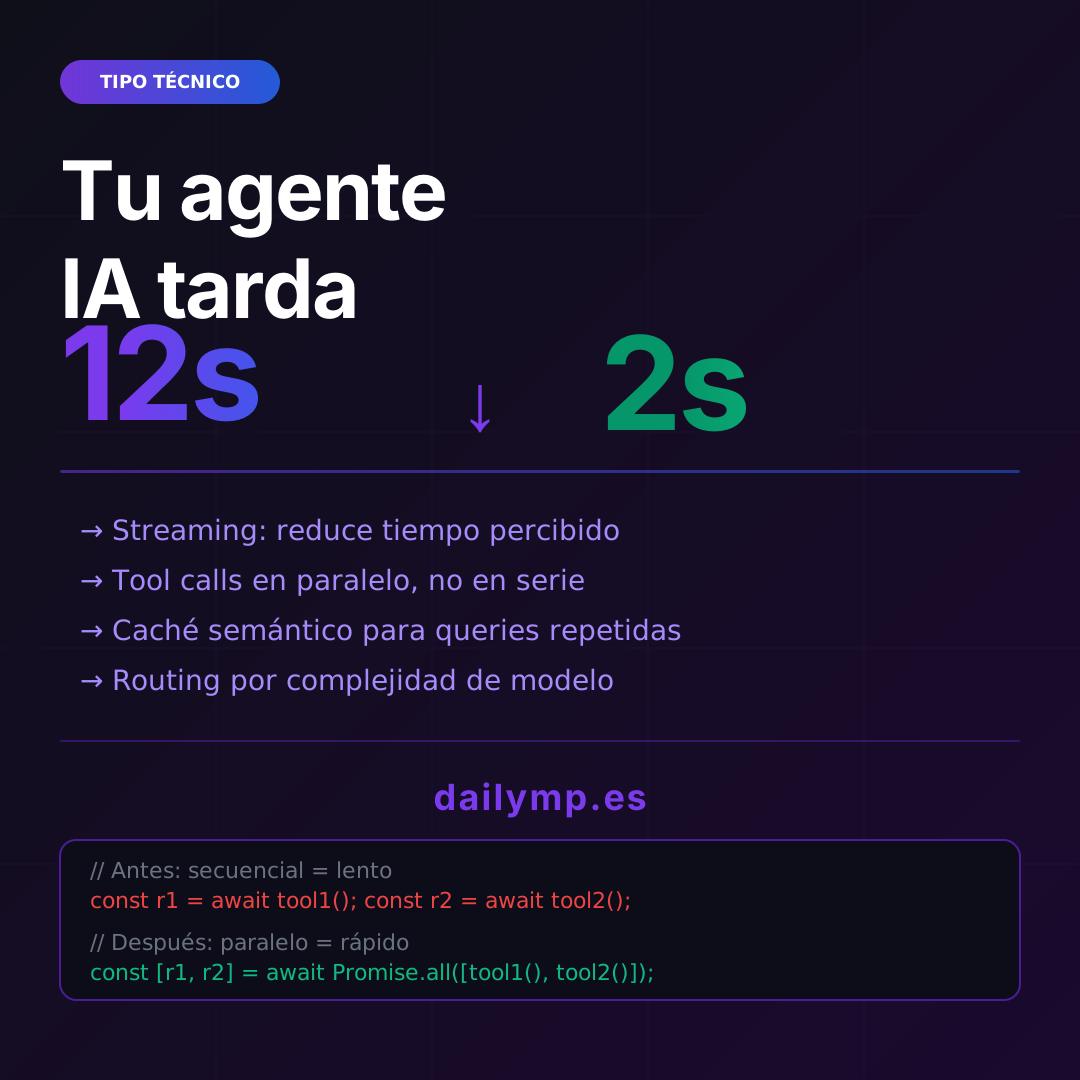
Your AI Agent Takes 12 Seconds. How to Get It to 2.
You built the agent. It works. Tests pass. You ship to production and the first feedback you get is: "this thing takes forever."
There's no logic bug. The agent does exactly what it's supposed to do. The problem is it does it in 12 seconds when it should take 2.
This happens to every team that moves from "prototype that works" to "product people actually use." And it has concrete causes with concrete solutions.
Where your agent's time actually goes
Before optimizing, you need to know where the time is going. In most poorly configured LLM pipelines, latency comes from four places:
- The model generates everything before showing anything — no streaming
- Tool calls run sequentially — even when they don't depend on each other
- Every identical query hits the model — no cache whatsoever
- You use the same model for everything — both for "what's the weather?" and for reasoning over a 40-page contract
Let's go through each one.
Fix 1: Streaming — perception matters as much as reality
Without streaming, the user stares at a blank screen for 8 seconds and then all the text appears at once. With streaming, they start reading at 400ms even if the model takes just as long to finish.
Actual latency doesn't change. Perceived latency drops to a tenth.
// Without streaming — user waits until the end
const response = await openai.chat.completions.create({
  model: "gpt-4o",
  messages,
});
return response.choices[0].message.content;

// With streaming — user reads while the model generates
const stream = await openai.chat.completions.create({
  model: "gpt-4o",
  messages,
  stream: true,
});

for await (const chunk of stream) {
  const delta = chunk.choices[0]?.delta?.content ?? "";
  process.stdout.write(delta); // or res.write(delta) in your API
}
If your agent doesn't have streaming active today, this is the highest-impact improvement per lines of code written.
Fix 2: Parallel tool calls, not sequential
This is the most common mistake and the one that kills the most time.
Imagine an agent that needs: (1) fetch client history, (2) check available inventory, and (3) get current pricing. If it does this sequentially, you wait for the sum of all three. If it runs in parallel, you wait for the slowest one.
// ❌ Sequential — 3s + 2s + 1.5s = 6.5 seconds
const history = await getClientHistory(clientId);
const inventory = await getInventory(productId);
const price = await getCurrentPrice(productId);

// ✅ Parallel — max(3s, 2s, 1.5s) = 3 seconds
const [history, inventory, price] = await Promise.all([
  getClientHistory(clientId),
  getInventory(productId),
  getCurrentPrice(productId),
]);
Most agents using frameworks like LangChain or LangGraph execute tool calls sequentially by default. You have to explicitly enable parallelization or implement it yourself.
Good AI agent integration work includes reviewing these patterns from the start, not as an afterthought optimization.
Fix 3: Semantic caching for repeated queries
Not every query to your agent is unique. In most support or consultation systems, 60-70% of questions are variations of the same 20 base questions.
Semantic cache doesn't look for identical strings — it looks for similar meaning. "How much is the basic plan?", "price of the basic plan", and "what does the basic cost?" are the same query. With semantic caching, you only call the model once.
import { RedisSemanticCache } from "@langchain/community/caches/ioredis";

const cache = new RedisSemanticCache({
  redisUrl: process.env.REDIS_URL,
  embeddingModel: embeddings,
  similarityThreshold: 0.92, // tune to your use case
  ttl: 3600, // 1 hour
});

// The library handles caching automatically
const llm = new ChatOpenAI({
  model: "gpt-4o",
  cache,
});
In high-volume systems, this doesn't just reduce latency — it cuts API costs by 40-60%.
Fix 4: Complexity-based model routing
You don't need GPT-4o to answer "What are your business hours?" But you do need it to analyze a legal contract or reason over complex financial data.
Complexity routing sends each query to the most appropriate model:
async function routeToModel(query: string, context: Context) {
  const complexity = await assessComplexity(query);

  if (complexity === "simple") {
    // Fast and cheap — 200ms, $0.0001
    return await callModel("gpt-4o-mini", query, context);
  } else if (complexity === "medium") {
    // Speed/reasoning balance — 800ms, $0.001
    return await callModel("gpt-4o", query, context);
  } else {
    // Deep reasoning when you need it — 3-4s, $0.01+
    return await callModel("o3-mini", query, context);
  }
}
This architecture has more implementation complexity, but in production systems with real volume it's what separates a $500/month API bill from a $50/month one — with better UX.
If you're designing your agent architecture from scratch, at DAILYMP we bake these decisions in from day one, not as technical debt to fix later.
The right order of implementation
Don't try to do everything at once. The order that gives the most return per effort:
- Streaming — an afternoon of work, immediate visible improvement
- Parallelize tool calls — review existing code, hours not days
- Semantic caching — you need Redis or similar, a couple of days
- Complexity routing — requires design, implement in a dedicated sprint
With just the first two, most agents go from 10-12 seconds down to 3-4 seconds. With all four, you typically hit that 1-2 second range that makes an agent feel "fast."
The cost of optimizing late
The mistake I see repeated over and over: build the full agent without thinking about latency, then try to optimize on top of an architecture that wasn't designed for it.
Semantic caching requires your queries to pass through a central point. Parallelization requires your tool calls to be decoupled. Routing requires your architecture to allow model swapping without rewriting business logic.
If you build without thinking about this from the start, optimizing afterward costs ten times more.
Do you have an agent in production that's running slow, or are you designing one and want to get it right from the start? Let's talk on WhatsApp — in 30 minutes we'll look at what's failing and what I'd do in your situation.