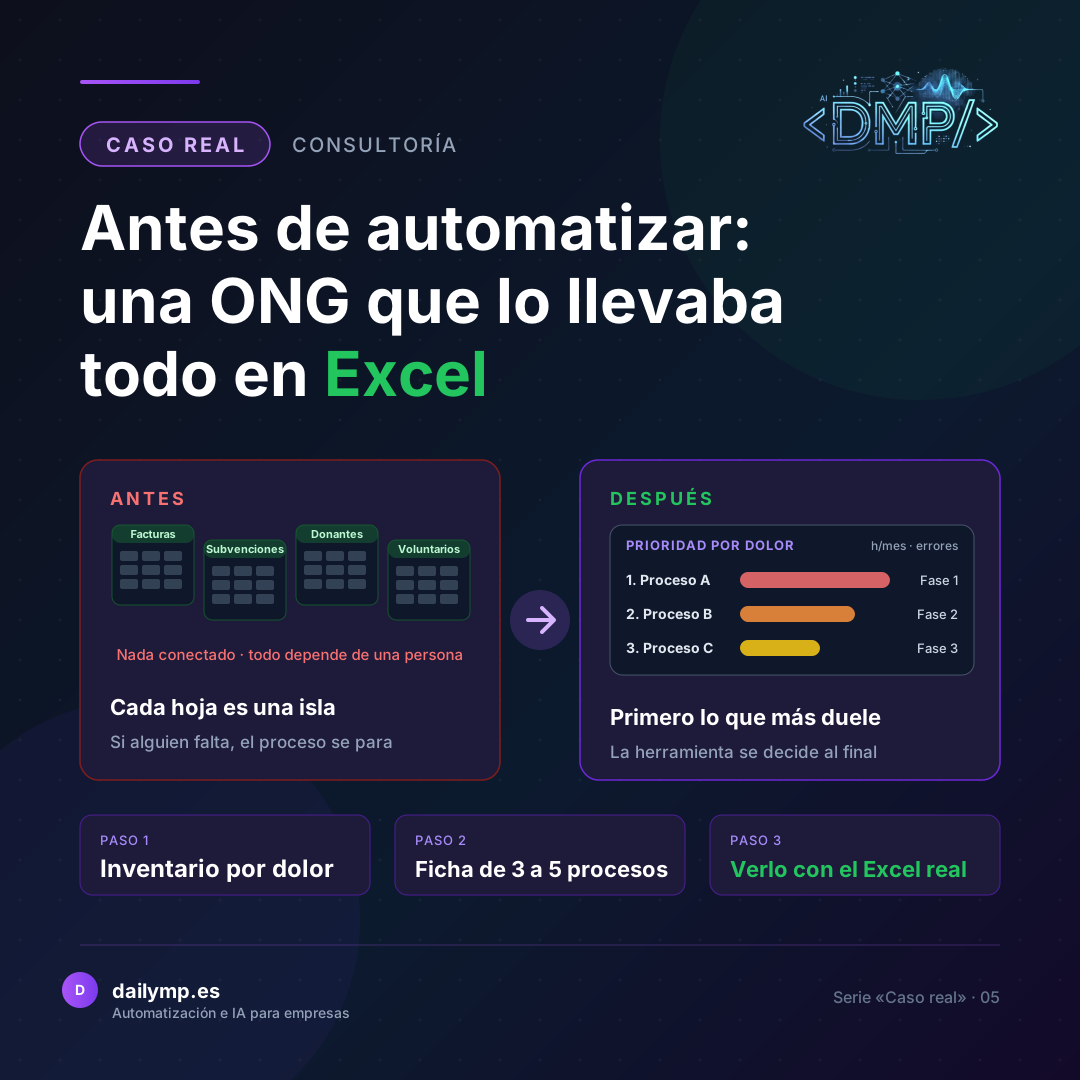
Before Automating: An NGO That Ran Everything in Excel
An NGO managed its invoicing, grants, donors, the people it supports and its volunteers in separate Excel sheets. Nothing was connected and every process depended on one specific person. This case is still in progress, so I am not going to talk about results: I am going to explain the method, which is what comes up again and again whenever a business or organisation tells me "we run everything in Excel".
The problem
When everything lives in Excel, Excel is not the problem. The problem is that every sheet is an island. A donor's details are in one, their membership fees in another, and their donation certificate is prepared by hand in a third. If the person who looks after that sheet goes on holiday, the process stops.
In the first meeting, the NGO described it like this: disorganised processes, everything in Excel, nothing connected. The natural reaction in these cases is to ask to "digitalise everything". But that is the most expensive mistake: starting with the tool, buying a big piece of software and discovering six months later that it does not fit the way people actually work.
What I did
Before proposing anything, I prepared a three-part working guide. I am using it with this NGO, and it works for any organisation that lives in spreadsheets.
1. Overview and an inventory ranked by pain
First, a complete picture: which processes exist, which sheets hold them up, what the organisation wants to achieve, with what budget and in what timeframe. And above all, an inventory of processes ranked by how much they hurt: how many hours a month each one takes, how many errors it causes and whether it depends on a single person.
2. One sheet for each of the worst processes
From that inventory I pick the 3 to 5 most painful processes and write up each one: what triggers it, what steps it has, what data is copied by hand from one place to another, what volume it handles, who approves it, what comes out at the end and what exceptions crop up. I ask for a copy of the real Excel file, with personal data removed, because that is where you see what nobody mentions in a meeting.
3. What is specific to an NGO
An NGO is not just any company. It has to justify grants, manage direct-debit runs for members' fees, prepare the annual donations return to the Spanish tax agency (form 182) and coordinate volunteers. And it handles very sensitive data about the people it supports, which determines where and how that data can be stored. All of this gets its own block of questions.
The observation session
After the interview comes the most useful part: sitting with the person who actually does the work, not the person who manages it, for about 30 minutes per process, while they carry it out with their real Excel file. That is where the unwritten rules, the skipped steps and the shortcuts only that person knows come to light.
From there, the priority table
All of this produces a table: process, hours per month, errors, dependence on one person, volume and impact. And that table gives you the phases and the budget. No "let's digitalise everything": you start with whatever frees up the most hours and removes the most risk.
Real results
This project is ongoing. The first meeting and the in-depth guide are done, and the next step is the observation session for the selected processes.
There are no results to share yet, and I would rather say so than put forward figures that do not exist. When phases are completed, I will write about them in another article.
What you can apply in your business
- List your processes and rank them by pain. Hours per month, errors and whether they depend on a single person. That alone tells you where to start.
- Watch how it is done, not how it is described. Ask the person who does the work to show you with the real Excel file. What really happens rarely matches the official procedure.
- Write down the exceptions. The missing piece of data, the duplicate, the last-minute cancellation. That is where rushed automations fail.
- Choose the tool last. First the process, then the priorities, and only then which software or automation fits.
If you want to see where this method leads once the process is clear, read how a lifeguard company stopped juggling shifts in Excel and the AI agents and automation service.
Let's talk for 30 minutes
Does your organisation live in Excel and you don't know where to start? In 30 minutes I will help you see which process to tackle first.